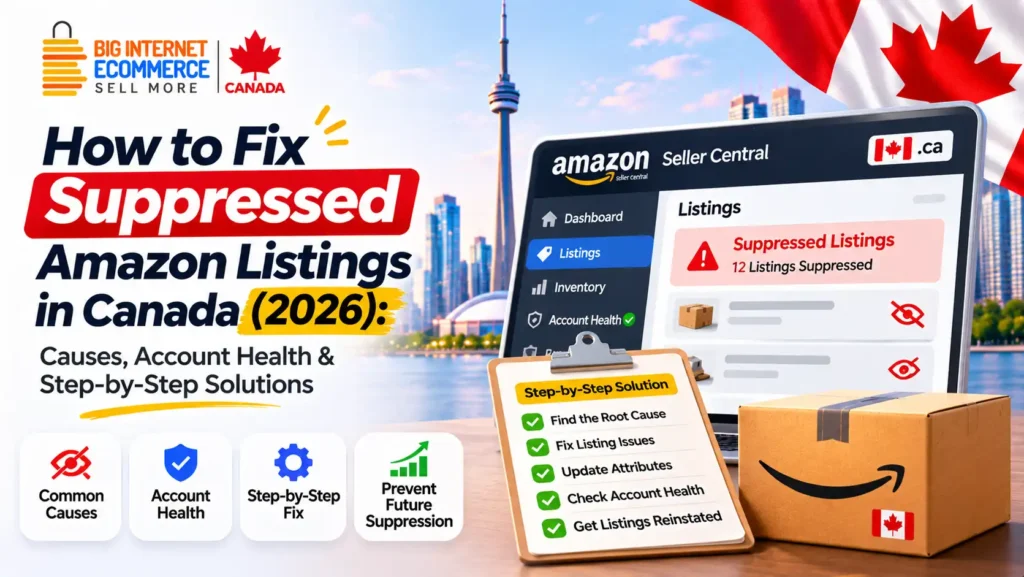
Quick answer: To fix a suppressed Amazon listing in Canada, sign in to Amazon Seller Central, open Inventory → Manage All Inventory, locate the affected ASIN under the inactive or search-suppressed listing filters, and review the reason Amazon provides. Correct the relevant title, image, product attribute, pricing or other listing issue, then save the change and monitor its status. If the issue involves a policy violation, check Account Health and follow the required compliance or appeal process. If the suppression remains after a valid correction, contact Selling Partner Support with the ASIN, SKU, screenshots and relevant error details.
Suppressed listing? Get your products back in front of buyers.
Fix My Suppressed Listings →Your product may have performed well on Amazon.ca for months, attracting shoppers, generating orders and supporting your advertising campaigns.
Then something changes.
The product stops appearing in relevant Amazon searches. The listing receives little traffic, customers struggle to find it, or Seller Central displays a warning that the ASIN is Search Suppressed.
For an Amazon seller, that can be a serious operational issue.
A product can have strong reviews, useful images and an established advertising history, but if Amazon removes it from search because required information is missing or non-compliant, the customer may never reach the listing.
The challenge becomes more complicated when several products are affected or the seller cannot identify which attribute triggered the problem.
At Big Internet Ecommerce (BIE), we provide Amazon account management, catalogue support and listing optimization services for Canadian sellers and brands.
This guide explains what Amazon listing suppression means, why it happens, how to identify the actual cause and what steps sellers can take to restore an eligible product listing.
It also covers Amazon Account Health, Seller Central error messages, FBA inventory, product images, 2026 title requirements and ways to reduce recurring listing problems.
What Is Amazon Listing Suppression?
Amazon listing suppression occurs when Amazon restricts a product listing’s search visibility because the listing does not meet applicable information, quality or marketplace requirements.
A search-suppressed product may not appear in normal Amazon shopping search results until the required issue has been addressed.
Depending on the specific issue, the product detail page or existing offer may behave differently. Search suppression should not automatically be treated as identical to an account suspension or complete product removal.
Amazon requires accurate information so customers can identify products, compare options and understand what they are buying.
If required information is incomplete, inconsistent or violates applicable rules, Amazon may limit the listing’s visibility.
Common triggers include problems involving product titles, primary images, important attributes, descriptions or other information required for the product type.
Why Is an Amazon Listing Suppressed?
The most important reason is that Amazon has identified an issue affecting the listing.
However, not every invisible product has been search suppressed.
A product might also disappear from normal search because it is out of stock, has an inactive offer, is subject to an account restriction or simply doesn’t rank prominently for a particular keyword.
That’s why the first step should always be diagnosis.
Changing keywords or increasing advertising spend will not necessarily fix a suppressed ASIN.
How Does Amazon Notify Sellers?
Depending on the issue and the current Seller Central interface, sellers may see:
- Search Suppressed status.
- A listing-quality warning.
- An incomplete or inactive listing notification.
- A missing-attribute message.
- A product image error.
- A pricing-related warning.
- A compliance notification.
- An Account Health issue.
- A specific error associated with a catalogue upload.
Amazon’s updated Manage All Inventory experience provides tools for identifying listing problems and taking corrective action.
Official resource: Amazon Seller Central — Manage All Inventory.
Search Suppressed vs Inactive vs Account Suspended: What’s the Difference?
Before trying to recover Amazon product visibility, identify the correct problem.
| Status or issue | What it generally means | First action |
|---|---|---|
| Search Suppressed | Product visibility is restricted because of an identified listing issue | Review the suppression reason in Manage All Inventory |
| At Risk of Suppression | Amazon has identified an issue requiring action before a deadline or further restriction | Review the warning and correct the affected data |
| Inactive Listing | The product offer is not currently active for a particular reason | Check the listing status and reason |
| Out of Stock | No sellable units are available for the offer | Review inventory and fulfilment |
| Stranded FBA Inventory | Inventory is in fulfilment but is not connected to an active, purchasable offer | Review stranded inventory and offer issues |
| Policy Restriction | Amazon has flagged a product or activity under a marketplace rule | Review Account Health and applicable policy requirements |
| Account Suspension | Selling privileges have been restricted at the account level | Follow the relevant Account Health and appeal process |
| Low Organic Visibility | A product may be active but not rank well for the searched keyword | Review relevance, search performance and competition |
These situations can overlap, but they should not be treated as the same problem.
For example, an ASIN might show active inventory but still have a product-page or search-visibility problem.
Another seller might describe a listing as suppressed simply because it isn’t visible for a broad keyword.
The correct fix depends on what Seller Central actually reports.
For additional operational support, explore Amazon Account Management Services Canada.
Why Amazon Suppresses Product Listings: 10 Common Causes
Understanding the root cause is the most important part of resolving an Amazon listing problem.
Here are ten categories worth checking.
1. Missing or Non-Compliant Main Product Image
Images play an important role in how Amazon presents products to shoppers.
A product listing needs a valid image that complies with the requirements for its category and product type.
If the main image is missing, inaccurate or non-compliant, Amazon may remove it from search until an appropriate image is available.
Potential image problems include:
- Missing main image.
- Poor image quality.
- Incorrect image format or dimensions.
- Main image not accurately representing the product.
- Prohibited promotional text or graphics.
- Incorrect background treatment for the category.
- Product packaging or accessories shown inaccurately.
- Other violations of product-image requirements.
How to fix it: Review the specific image error, check Amazon’s current category requirements and upload a compliant replacement.
Avoid deleting the only valid main image before you have a replacement ready.
Official reference: Amazon Seller Central — Product Image Requirements.
2. Missing Required Product Attributes
Amazon uses product attributes to classify products and help customers evaluate them.
Depending on the category, required information might include size, material, dimensions, colour, product type, unit count or other specifications.
A listing may become search suppressed when essential data is absent.
Example: A kitchen product listing may require specific capacity or material information.
If the relevant attribute is blank or invalid, Amazon may request an update.
The exact requirements differ by category.
How to fix it: Open the affected listing, identify the required attribute and enter the correct product information.
Never invent a specification merely to remove a warning.
3. Product Title Violations
Product titles help customers identify what is being sold.
Amazon has requirements concerning the length, formatting and content of titles.
A product title that violates applicable requirements may be flagged or modified by Amazon.
Important Amazon Title Update for 2026
Amazon announced that, starting July 27, 2026, product titles in categories other than media must generally contain 75 characters or fewer, including spaces.
The update also introduced an Item Highlights field with up to 125 characters for supporting product information.
Amazon describes a process for gradually updating older titles using its recommendations, so an outdated long title should not automatically be assumed to have caused search suppression.
Always check the actual listing warning.
How to fix a title issue:
Review the displayed title and the relevant error.
Use a clear product name and essential differentiating information.
Remove unnecessary repetition, prohibited promotional language or unsupported claims.
Use Item Highlights and other appropriate fields for additional factual details.
This change has been widely reported by Amazon seller-tool providers; confirm current rules in Seller Central.
For a detailed explanation of compliant product titles and related listing content, read BIE’s Amazon Listing Optimization Canada service guide.
4. Incomplete Product Description or Bullet Points
Customers rely on product descriptions and bullet points to understand products.
Certain product types may require information that is missing from the existing content.
For example, a product may need a more accurate description of its characteristics, contents or intended use.
How to fix it: Review the listing-quality message and update the required content using verified product facts.
Avoid filling the description with irrelevant keywords or generic promotional claims.
5. Incorrect Product Category or Product Type
A product assigned to an inappropriate category may have incorrect attribute requirements.
This can create listing-quality problems and make it harder for Amazon to classify the item correctly.
For instance, the attributes required for one household product type may differ from those of a related but distinct category.
How to fix it: Confirm the actual product type and category before requesting a correction.
Where Amazon restricts category changes, follow the approved process and provide suitable product documentation.
6. Product Identifier Problems
Amazon may require recognized product identifiers or approved exemptions, depending on the listing.
Relevant identifiers can include GTINs and category-appropriate product codes.
Problems can arise when product identifiers are missing, mismatched or associated with inconsistent catalogue information.
How to fix it: Verify the correct identifiers using legitimate brand or manufacturer records.
Do not create duplicate ASINs or reuse unrelated product identifiers as a workaround.
7. Incorrect Variation Relationships
Parent-child variations help customers compare legitimate versions of a product.
However, incorrect variation structures can create problems.
Examples include unrelated products grouped together, inaccurate variation themes or child products with conflicting attributes.
How to fix it: Review the variation structure and the actual relationship among the products.
Ensure each child ASIN accurately represents its own size, colour, style or other supported variation.
Avoid manipulating variations to combine unrelated products or reviews.
8. Pricing or Offer-Related Problems
Some products may be unavailable or restricted because of pricing or offer-related issues.
For example, a listing may show a pricing warning or have an offer that is not currently eligible for purchase.
These are not always search-suppression cases.
How to fix it: Review the actual offer status, price information and relevant Seller Central notifications.
Confirm that the correct marketplace and currency are being used.
9. Product Compliance and Restricted-Product Issues
Certain product categories require additional documentation or are subject to specific restrictions.
Examples can include products involving health-related claims, electrical safety, children’s products, cosmetics or regulated goods.
The exact requirements depend on the product, its claims, the marketplace and applicable law.
A listing may be restricted if required documentation is missing or Amazon identifies a policy concern.
How to fix it: Review the relevant Account Health or compliance notification and follow the prescribed process.
Submit legitimate documents where required.
Do not alter product claims or compliance records to conceal a genuine safety or legal issue.
10. Catalogue Conflicts or Data-Submission Errors
Sometimes a seller submits accurate information but the listing doesn’t update as expected.
Potential reasons include conflicting catalogue contributions, invalid upload values or errors in a feed.
An issue may persist even when a corrected value appears in the seller’s edit interface.
How to fix it: Check processing reports, confirm the affected attributes and investigate whether the change was accepted.
If the issue cannot be resolved through an authorized edit, open a Seller Support case with the relevant evidence.
How to Find Suppressed Listings in Amazon Seller Central Canada
Before updating product content, identify the specific ASIN and the problem Amazon is reporting.
Step 1 — Sign In to Amazon Seller Central
Open the Canadian Seller Central portal:
https://sellercentral.amazon.ca/
Make sure you have selected the correct marketplace.
If you also sell on Amazon.com, review each marketplace separately.
Step 2 — Open Manage All Inventory
From the Seller Central navigation, go to:
Inventory → Manage All Inventory
Amazon’s interface may display task groups or filters according to the seller’s account.
Step 3 — Find the Search-Suppressed Listings
Use the available listing-status controls.
Depending on your interface, you may see:
Activate listings → Search suppressed or inactive listings
or:
All listings → Listing Status → Search Suppressed
The names and arrangement of these controls may change, so follow the current options shown in Seller Central.
Step 4 — Identify the Affected ASIN
Find the product using its ASIN, SKU, title or another available identifier.
Check that you are working on the correct marketplace and product variation.
Step 5 — Review the Suppression Reason
Look for an explanation of the missing or invalid information.
Do not begin by randomly rewriting the listing.
The reason may involve a specific attribute, image or policy requirement.
Step 6 — Record the Issue
Before making changes, document:
- ASIN.
- Seller SKU.
- Marketplace.
- Current status.
- Exact warning or error.
- Date identified.
- Relevant supporting files.
- Person responsible for the correction.
This is particularly useful for sellers managing large catalogues.
How to Fix Suppressed Amazon Listings: Step-by-Step Recovery Process
Once the issue has been identified, use a structured correction process.
Step 1 — Confirm the Problem Is Search Suppression
Check whether Seller Central explicitly identifies the listing as search suppressed.
If the product is inactive or out of stock, follow the appropriate process instead.
If the product is active but not ranking for a keyword, investigate organic visibility rather than assuming suppression.
Step 2 — Review the Specific Error
Amazon may identify a missing product attribute, image problem, title issue or another reason.
Read the message carefully.
If the warning refers to a particular field, prioritize that field.
Step 3 — Back Up the Existing Listing Information
Before making extensive changes, retain the current accurate product information.
For larger catalogues, keep a copy of relevant inventory files or approved product records.
This helps the team understand what changed and makes troubleshooting easier.
Step 4 — Correct the Required Information
Open the product’s editing interface.
Update the affected field using accurate, current product information.
If the error concerns a main image, upload a compliant file.
If the issue concerns product attributes, complete the required values.
If it involves restricted products, follow the applicable compliance process rather than submitting unrelated listing changes.
Step 5 — Save or Submit the Correction
Use the appropriate Seller Central workflow.
If the listing is managed through a file upload, follow the applicable template and processing-report guidance.
Avoid repeatedly submitting conflicting changes through different methods.
Step 6 — Check Whether Amazon Accepted the Update
A successful submission does not always mean the information has appeared immediately on the detail page.
Check the listing status and any processing messages.
For certain listing changes, Amazon indicates that processing can take approximately 24–48 hours, but timing varies.
Do not assume every search-suppression issue is resolved within that period.
Step 7 — Review the Listing Again
Return to Manage All Inventory.
Confirm whether the suppression warning has cleared.
If it hasn’t, identify whether the original problem remains or a new warning has appeared.
Step 8 — Verify Customer-Facing Visibility
Check the product detail page and, where appropriate, its availability in Amazon search.
Make sure the product information displayed matches the approved content.
Remember that removal of the suppression flag does not guarantee a particular organic search position.
Step 9 — Escalate When Appropriate
If Amazon hasn’t accepted a valid correction, investigate the processing report or error code.
Then contact Selling Partner Support with the relevant information.
Step 10 — Document the Resolution
Record what was changed, when it was submitted and the resulting status.
For recurring issues, identify whether the underlying workflow needs improvement.
A reliable recovery process should help prevent the same problem from returning.
How to Fix Specific Amazon Listing Suppression Errors
The following table provides a practical first action for common listing problems.
| Problem | What to investigate | Recommended first action |
|---|---|---|
| Missing main image | Image upload and product-image requirements | Upload a compliant main image |
| Invalid product title | Title warning and current category rules | Correct the identified title issue |
| Missing required attribute | Listing-quality warning | Enter verified product information |
| Product category mismatch | Product classification and supported attributes | Verify the correct category |
| Invalid product identifier | GTIN, UPC/EAN or approved exemption | Review legitimate product records |
| Variation issue | Parent-child relationship and variation theme | Correct the supported relationship |
| Inactive offer | Stock, fulfilment, price and offer status | Resolve the actual inactive reason |
| Product compliance flag | Account Health and compliance requests | Follow the required documentation process |
| Upload error | Processing report and error code | Correct the rejected field or submission |
| Attribute won’t update | Catalogue contribution or permissions | Gather evidence and contact support |
Important: These are troubleshooting starting points. The actual Amazon warning takes priority over a generic checklist.
Amazon Account Health: Can It Cause Listing Suppression?
Amazon Account Health is relevant when a listing problem involves compliance or policy enforcement.
But not every search-suppressed listing is an Account Health violation.
A missing image and a restricted-product concern may require completely different fixes.
What Is Amazon Account Health?
Account Health provides sellers with information about certain performance and policy-compliance matters affecting their selling account.
Depending on the issue, notifications may involve product authenticity, intellectual property, restricted products, product safety or other policy categories.
When Should You Check Account Health?
Review Account Health when Seller Central indicates a policy problem or product restriction, or when a compliance notification is associated with the affected ASIN.
Check the specific issue and the action Amazon requires.
How to Address an Account Health Issue
Start by understanding the policy concern.
Gather legitimate supporting documents, where required.
Prepare accurate explanations and corrective actions.
Submit the response through the relevant workflow.
Monitor the case for Amazon’s decision or additional requests.
Do You Need a Plan of Action?
Some enforcement situations may require an explanation of the root cause, corrective measures or prevention steps.
Others require documentation or a different resolution process.
Do not submit a generic appeal template when Amazon requests specific evidence.
Can an Agency Reinstate a Suspended Account?
An agency can help review the issue, organize documentation and coordinate appropriate next steps.
However, Amazon makes the final account and policy decisions.
No legitimate agency can guarantee reinstatement of every account or ASIN.
For help managing account-health notifications and recurring catalogue issues, explore BIE’s Amazon Seller Central Account Management Services.
Amazon FBA Listing Suppressed: What Happens to Your Inventory?
Amazon FBA inventory and product visibility are related, but they are not the same thing.
A seller may have physical inventory in an Amazon fulfilment centre while the corresponding offer is inactive or unavailable.
This can create additional operational problems because the stock may not be purchasable.
What Is Stranded FBA Inventory?
Stranded inventory generally refers to FBA inventory that does not have an associated active offer available for purchase.
Potential causes include listing errors, inactive offers or other eligibility problems.
Can FBA Inventory Be Suppressed?
The product listing associated with FBA inventory can face search suppression or another listing-status issue.
The inventory may still physically exist, but customers may not be able to purchase it through the affected offer.
How to Check an Affected FBA Product
Review the ASIN and SKU in Manage All Inventory.
Check the offer status and FBA inventory information.
Identify whether the issue involves suppression, stranded inventory, pricing or another inactive reason.
Follow the relevant fix in Seller Central.
What If the Listing Is Fixed but the Inventory Still Appears Stranded?
Check whether Amazon has updated the offer status and whether another unresolved condition remains.
If necessary, contact Seller Support with the affected identifiers and relevant records.
Do not create duplicate listings as a shortcut.
Official reference: Amazon Canada — Fulfilment by Amazon.
Amazon Listing Active but Not Showing in Search: What Should You Do?
This is an important distinction for Amazon SEO.
A product may be technically active but not appear for a particular keyword.
That doesn’t automatically mean it has been suppressed.
Check the Exact ASIN First
Confirm whether the product detail page exists.
Review whether the offer is purchasable and whether Seller Central reports any listing problem.
Check Inventory and Offer Status
Make sure the product is available through the intended fulfilment method.
A missing or inactive offer can affect the customer’s ability to purchase.
Check Search Relevance
If the listing is active and no suppression warning exists, the issue may concern organic visibility.
Review whether the title, attributes and product information accurately match the relevant searches.
Check the Search Term Itself
A product may appear for its exact name but not for a broad generic phrase.
That can reflect competition or differences in relevance.
Review Amazon.ca Search Behaviour
For Canadian products, use relevant Amazon.ca data rather than assuming Amazon.com keyword performance will be identical.
Compare Organic and Paid Visibility
A product’s appearance in an advertising placement does not establish its organic rank.
Likewise, not seeing a product in one search does not establish that Amazon has removed it from the marketplace.
For a deeper search strategy, explore BIE’s Amazon SEO services for Amazon.ca.
Amazon Listing Suppression in Canada vs the United States
Canadian brands selling through multiple Amazon marketplaces should review the relevant account and product information separately.
A listing may behave differently on Amazon.ca and Amazon.com.
Marketplace-Specific Listing Data
Product information, category classifications, attributes and offer conditions can differ by marketplace.
A valid listing on Amazon.com is not automatic proof that the Canadian offer is correctly configured.
Canadian Product Requirements
Some products are subject to Canadian regulatory, language or labelling requirements.
These depend on the product category, claims and applicable law.
Where product compliance is involved, review the relevant Amazon Canada requirements and obtain qualified guidance as necessary.
English and French Content Considerations
Brands selling in Canada may need to consider French-language product information, particularly where applicable Quebec rules are relevant.
Do not assume that machine-translating a listing is sufficient for compliance.
Currency and Pricing
Check that the appropriate Canadian offer price is configured.
A price-related issue should be investigated in the correct marketplace and currency.
Multi-Marketplace Catalogue Updates
When the same product is sold across marketplaces, keep product facts consistent while respecting each marketplace’s actual requirements.
Avoid copying updates blindly without checking the affected accounts.
We review why Amazon suppressed your listing and give you a clear, prioritized fix plan.
- Find the root cause behind the suppression
- Get a step-by-step fix plan
- No Amazon password needed to enquire
How Long Does It Take to Fix a Suppressed Amazon Listing?
There is no guaranteed recovery time.
The time required depends on the cause, the type of correction, whether Amazon accepts the new information and whether additional review is required.
Simple Listing-Data Corrections
Some title, image or attribute updates may be processed relatively quickly after a valid submission.
Amazon provides guidance indicating that certain updates can take approximately 24–48 hours to appear.
Catalogue Conflicts
A conflict involving existing Amazon catalogue information may require additional review.
The issue may persist even when the seller has supplied valid data.
Product Compliance Issues
Restrictions involving documentation, policy reviews or product eligibility may take longer.
The final timing depends on Amazon’s review process and any additional information requested.
Account-Level Enforcement
An account suspension is not the same as ordinary search suppression.
It requires the appropriate enforcement or appeal process.
Avoid any agency claiming that every suppressed listing can be fixed within a fixed number of hours.
The most useful approach is to identify the actual issue, submit a valid correction and monitor its progress.
What If the Amazon Listing Is Still Suppressed After You Fix It?
Sometimes a seller updates the required field but the status doesn’t change.
In that situation, avoid repeatedly rewriting unrelated parts of the listing.
1. Check the Original Error
Confirm whether the reported suppression reason has changed.
If it hasn’t, determine whether Amazon accepted the correction.
2. Review the Product Data
Check that the new information is accurate and consistent across the relevant fields.
For instance, a variation’s title and attributes should represent the correct child product.
3. Review the Upload Processing Report
If you updated the listing through a bulk file, inspect its processing result.
A file upload may complete while individual records contain errors.
Record the relevant error code and submission identifier.
4. Check Your Editing Permissions
In some cases, catalogue information may not be editable through the seller’s current contribution or permission level.
Confirm whether your account has the appropriate rights to make the change.
5. Gather Supporting Evidence
Useful evidence may include legitimate manufacturer documentation, approved product images, packaging images or the relevant product information from the brand’s official website.
6. Contact Selling Partner Support
Explain the exact issue and the steps already attempted.
Provide the affected ASIN, SKU, marketplace, error information and appropriate documentation.
Avoid submitting numerous contradictory cases for the same issue without a clear reason.
Amazon Seller Support Case Template for Listing Suppression
Use the following as a practical starting point when submitting a Seller Support case.
Subject: Search Suppression Not Cleared After Listing Correction — Amazon.ca ASIN
Message:
Hello Amazon Selling Partner Support,
We are requesting assistance with a listing that remains search suppressed on Amazon.ca.
ASIN: [Your ASIN]
Seller SKU: [Your SKU]
Marketplace: Amazon.ca
Current status: Search Suppressed
Reported issue: [Exact suppression reason]
We reviewed the notification and completed the following corrective action:
[Describe the specific attribute, image or other information corrected.]
Correction submitted on: [Date and approximate time]
Submission or processing reference, if applicable: [Reference]
The listing remains affected after the correction.
We have attached the relevant screenshots and supporting product documentation.
Please review the current listing status, confirm whether the correction has been accepted and advise whether any additional information is required.
Thank you.
Important: Only include accurate facts. Do not paste private account credentials or unnecessary sensitive information into the case.
How to Prevent Amazon Listing Suppression in 2026
Fixing an issue is useful.
Preventing it from repeatedly affecting the catalogue is even more valuable.
A practical Amazon account management process should include regular listing-quality reviews.
Audit Required Product Attributes
Verify that important product information remains complete and accurate.
Pay attention to products that have recently changed categories or received updated data requirements.
Review Main Images
Confirm that primary product images still meet Amazon’s current requirements.
If Amazon removes an image, investigate the problem before the listing is affected further.
Monitor Product Titles and Item Highlights
The 2026 title update makes it especially important to review product information and avoid relying on older keyword-heavy title templates.
Use accurate product names and supported attributes.
Check Variation Relationships
Review parent-child relationships when new products, sizes or colours are introduced.
Keep variation data accurate.
Monitor Account Health
Check relevant policy notifications and act on required requests.
Do not wait until an urgent restriction becomes a wider account problem.
Review Bulk Upload Results
For sellers managing many ASINs, inspect processing reports after catalogue uploads.
Do not assume that a successful file submission means every product field was accepted.
Maintain a Listing Issue Log
Track recurring suppression reasons, affected ASINs and corrective actions.
A simple log can help identify patterns.
Coordinate With the Product Content Team
Before introducing new images, titles or descriptions, ensure that approved product facts are available.
Review Inventory and Offer Conditions
Availability problems may not be caused by listing suppression, but they can create similar customer-facing symptoms.
Audit After Major Product Changes
Changes in product packaging, identifiers, product classification or brand information may require corresponding catalogue updates.
Weekly Amazon Listing Health Checklist
Use the following as a recurring internal checklist.
| Review item | What to check | Suggested action |
|---|---|---|
| Search suppression | Search Suppressed ASINs | Investigate each reported reason |
| At-risk listings | Warnings and deadlines | Correct issues before further restrictions |
| Inactive offers | Offer status | Check the actual inactive reason |
| Main images | Missing or removed images | Upload compliant creative |
| Product attributes | Missing mandatory fields | Correct verified product data |
| Catalogue uploads | Processing errors | Review error codes and affected SKUs |
| Account Health | Policy notifications | Follow the applicable workflow |
| FBA inventory | Stranded or unavailable units | Coordinate listing and inventory fixes |
| Variations | Incorrect parent-child data | Review approved variation structure |
| PPC coordination | Campaigns for unavailable ASINs | Notify the advertising manager |
| Resolution log | Open Seller Support cases | Track owners and next actions |
Brands with large product catalogues may need more frequent monitoring or automated reporting.
The review frequency should reflect account size and operational risk.
Does Amazon Listing Suppression Affect PPC, SEO and Sales?
Listing suppression can affect more than one part of an Amazon business.
That is why it shouldn’t be treated as an isolated product-content problem.
Amazon Organic Search Visibility
When Amazon suppresses a product from search, customers may have difficulty discovering it through normal shopping results.
This is different from a product merely ranking poorly.
Before making SEO changes, confirm the listing is eligible to appear.
For practical keyword and product-content guidance, explore BIE’s Amazon SEO services.
Amazon PPC Campaigns
Advertising relies on eligible, available products.
If an ASIN becomes unavailable or ineligible, the relevant campaigns may be affected.
The actual impact depends on the ad format and account status.
A PPC specialist should coordinate with the account-management team before changing bids or budgets.
For more on campaign efficiency, read Amazon PPC Agency in Canada: Expert Amazon Advertising Management (2026).
Product Conversion
If the product remains available through a direct route but has incomplete information, the customer may lack important details needed to make a decision.
Improving accurate product content can help the shopping experience, although it does not guarantee a particular conversion increase.
Inventory Management
A listing or offer problem can prevent available stock from generating orders.
For FBA sellers, this may require coordination between catalogue and inventory teams.
Business Reporting
A period of poor product performance should be interpreted alongside listing-status history.
For example, a decline in sessions during a suppression period should not automatically be attributed to weaker keyword targeting.
What Should Sellers Measure After Recovery?
Depending on the available reports, useful measures may include:
- Listing status and active offer availability.
- Search visibility for relevant queries.
- Product detail-page sessions.
- Unit Session Percentage.
- Units ordered.
- Advertising eligibility and performance.
- Inventory availability.
- Recurrence of listing errors.
These measures provide context. They do not prove that every increase after a correction was caused solely by restoring a listing.
Want an expert to apply this to your account? Request a review and get clear next steps.
Fix My Suppressed Listings →Example: Fixing a Suppressed Listing Caused by a Missing Attribute
Consider a hypothetical Canadian kitchenware brand selling several reusable food containers.
One product becomes search suppressed after Amazon identifies a missing required material attribute.
The product team confirms that the container is made from the material stated on its approved packaging.
The seller opens Manage All Inventory and reviews the specific warning.
The correct material attribute is submitted.
The team records the update and later checks whether Amazon accepted the information.
If the warning clears, the seller verifies the product’s availability and monitors its search visibility.
If the warning remains, the team reviews the processing result and prepares a support case with the appropriate evidence.
This is an illustrative workflow, not a claimed BIE client result.
It demonstrates a simple principle: resolve the documented problem before making unrelated content or advertising changes.
How Big Internet Ecommerce Helps Canadian Amazon Sellers With Listing Problems
Some Amazon listing issues are straightforward.
Others involve recurring catalogue conflicts, multiple marketplaces, variation structures, Account Health notifications or incomplete product information.
When several departments are involved, the work can become difficult to coordinate.
Big Internet Ecommerce provides Amazon marketplace services for Canadian brands that need support across these areas.
Amazon Account Management
BIE can help monitor listing status, organize Seller Central tasks, investigate catalogue problems, coordinate support cases and track unresolved operational issues within the agreed scope.
Explore Amazon Account Management Canada.
Amazon Listing Optimization
When a listing needs accurate titles, bullet points, attributes, images or other improvements, BIE can coordinate relevant content work.
Explore Amazon Listing Optimization Canada.
Amazon SEO Services
If a product is active but struggles with organic discoverability, BIE can review keyword relevance, customer search language and listing-content opportunities.
Explore Amazon SEO Services Canada.
Amazon PPC Management
Where appropriate, advertising management can be coordinated with product availability and listing readiness.
Explore Amazon PPC Management Canada.
Amazon A+ Content
Eligible brands may also benefit from more useful visual product information, comparisons and Brand Story creative.
However, A+ Content should not be treated as a substitute for required product attributes or a direct fix for all suppression problems.
Explore Amazon A+ Content Services Canada.
Real Client Work
BIE publishes Amazon advertising, listing and creative projects that prospective brands can review.
These are evidence of the documented work, not a claim that every suppression problem can be fixed or that a particular recovery rate has been achieved.
View BIE’s Amazon Case Studies.
Canada-Wide Support
BIE is based in Maple Ridge, British Columbia.
We support eligible Amazon sellers and brands remotely across Canada, including Vancouver, Toronto, Montreal, Calgary, Ottawa, Edmonton and other Canadian markets.
Our team can also discuss relevant Amazon.com support for Canadian businesses.
Request an Amazon Account Audit
Frequently Asked Questions About Suppressed Amazon Listings in Canada
1. What does Search Suppressed mean on Amazon?
Search Suppressed means Amazon has restricted a product listing’s visibility in shopping search because of an identified issue.
The seller should review the suppression reason in Seller Central and correct the relevant information.
2. How do I fix a suppressed Amazon listing?
Open Seller Central, go to Manage All Inventory, locate the search-suppressed ASIN, review the warning and correct the affected field or issue.
Save the change and monitor the listing status.
If the problem persists, gather evidence and contact Seller Support.
3. Where can I find suppressed listings in Amazon Seller Central?
In Amazon.ca Seller Central, open Inventory and Manage All Inventory.
Use the available Activate listings, Search Suppressed or inactive-listing filters to locate affected products.
The exact interface may vary.
4. Why is my Amazon product not showing in search results?
Possible causes include search suppression, an inactive offer, stock unavailability, a restriction or weak organic relevance for the searched keyword.
First check the ASIN’s actual status in Seller Central.
5. Can a missing Amazon product image cause suppression?
Yes. Amazon may remove a product from search when required images are missing or do not meet applicable product-image rules.
Upload a compliant replacement according to the category requirements.
6. Can an incorrect product title cause listing suppression?
A non-compliant title can create a listing-quality issue.
However, not every long title automatically causes suppression.
Check the actual warning and Amazon’s current title requirements before making a correction.
7. What is Amazon’s product title limit in 2026?
Amazon announced a 75-character limit, including spaces, for titles in most non-media categories beginning July 27, 2026.
Category exceptions and current requirements should be checked in Seller Central.
8. What are Amazon Item Highlights?
Item Highlights is a searchable supporting field introduced in Amazon’s 2026 title update.
It provides up to 125 characters for relevant factual information such as materials or recommended uses.
9. How long does Amazon listing suppression last?
There is no universal recovery time.
A straightforward correction may process relatively quickly, while catalogue conflicts, compliance issues and enforcement reviews may require additional time.
10. Will Amazon automatically restore a listing after I fix it?
Some listing-quality issues may clear after Amazon accepts the correction.
Other situations require additional review or action.
Always check the current listing status instead of assuming recovery.
11. Can a suppressed listing still have inventory?
Yes. A product can have inventory while its search visibility or associated offer has a problem.
For FBA products, review whether the stock is connected to an active, purchasable listing.
12. Is Amazon listing suppression the same as account suspension?
No.
Listing suppression generally concerns a particular product’s visibility or listing information.
An account suspension involves broader selling privileges and may require a separate enforcement process.
13. Does Amazon listing suppression affect advertising?
It can affect the eligibility or availability of the advertised product.
The impact depends on the specific listing issue and advertising programme.
Coordinate with your PPC team before making campaign decisions.
14. Can Amazon PPC fix a suppressed listing?
No. Increasing bids or advertising budgets does not replace the need to resolve the underlying suppression issue.
Correct the listing problem first.
15. Can Amazon SEO fix a suppressed product?
SEO work may help improve product relevance after the listing is eligible for search.
But a genuine suppression warning usually requires a specific product-data or compliance correction.
16. What should I do if the product is active but invisible?
Check the offer and search-suppression status.
If the ASIN is active and has no identified restriction, investigate organic discoverability, search relevance and marketplace conditions.
17. Can a catalogue upload cause suppression?
A bulk update containing invalid or incomplete information can contribute to listing problems.
Review the processing report and affected product fields.
18. Can I appeal a suppressed Amazon listing?
The appropriate process depends on the reason.
Some issues are fixed through listing edits.
Policy restrictions may require a compliance response or appeal through the relevant Seller Central workflow.
19. What if Amazon doesn’t accept my product attribute correction?
Check the exact error, catalogue contribution and processing report.
If necessary, provide legitimate product evidence to Selling Partner Support.
20. Can Brand Registry help with catalogue corrections?
Amazon Brand Registry offers eligible brands additional tools and support relating to brand information and intellectual property.
However, Brand Registry does not guarantee that every catalogue change or listing restriction will be resolved.
21. How do I prevent suppression across a large Amazon catalogue?
Use recurring listing-quality reviews, accurate product-data systems, approved images, bulk-upload validation, issue tracking and appropriate Account Health monitoring.
Prioritize high-impact ASINs while maintaining standards across the catalogue.
22. Can an Amazon account management agency fix suppressed listings?
An agency can help identify issues, prepare valid corrections, coordinate Seller Support cases and monitor progress.
Amazon retains final control over listing and policy decisions.
23. Does BIE help with Amazon suppressed listings in Canada?
Yes. BIE offers Amazon account management and listing-related support for eligible Canadian brands.
The work may include investigating suppression reasons, catalogue corrections and Seller Central coordination according to the agreed scope.
24. Can BIE help with both Amazon.ca and Amazon.com listing issues?
BIE can discuss support for eligible brands operating across both marketplaces.
The requirements and account status must be reviewed separately for each marketplace.
25. How can I get help with a suppressed Amazon listing?
Start by reviewing the exact Seller Central warning and documenting the affected ASIN and SKU.
If you need professional help coordinating account or listing issues, contact Big Internet Ecommerce or request an Amazon Growth Audit.
Conclusion: Fix the Actual Amazon Listing Problem Before Trying to Grow Traffic
A suppressed Amazon listing can disrupt product discoverability, advertising activity and the wider marketplace operation.
But the solution isn’t always complicated.
Sometimes Amazon needs a valid main image or a missing attribute.
Other situations require detailed catalogue investigation, verified product documentation or a formal compliance process.
The most important step is identifying the correct problem.
Use Amazon Seller Central to locate the affected listing, review the exact warning, submit accurate corrections and verify the result.
For Canadian sellers, also remember that Amazon.ca product requirements and account conditions may differ from those of Amazon.com.
Once your product is eligible and available, you can focus on improving the listing’s relevance, product information and advertising strategy.
At Big Internet Ecommerce, we help Canadian brands coordinate Amazon account management, listing optimization, SEO and related marketplace work.
If unresolved listing problems are affecting your catalogue, our team can help discuss the relevant next steps.
Request Your Amazon Growth Audit
Speak With the BIE Canada Team
Amazon controls all final listing, policy and account decisions. This guide provides general educational information and does not guarantee recovery, reinstatement, search rankings or sales outcomes.
About Big Internet Ecommerce
Big Internet Ecommerce (BIE) is an Amazon growth agency serving Canadian brands through advertising, SEO, product-listing content, A+ Content and marketplace account-management services.
BIE’s Canadian location is in Maple Ridge, British Columbia.
We support eligible Amazon.ca businesses and Canadian brands operating across relevant North American marketplaces.
Website: https://biginternetcommerce.ca/
Contact: https://biginternetcommerce.ca/contact-us/
We review why Amazon suppressed your listing and give you a clear, prioritized fix plan.
- Find the root cause behind the suppression
- Get a step-by-step fix plan
- No Amazon password needed to enquire
Prefer email? amz@biginternetcommerce.com