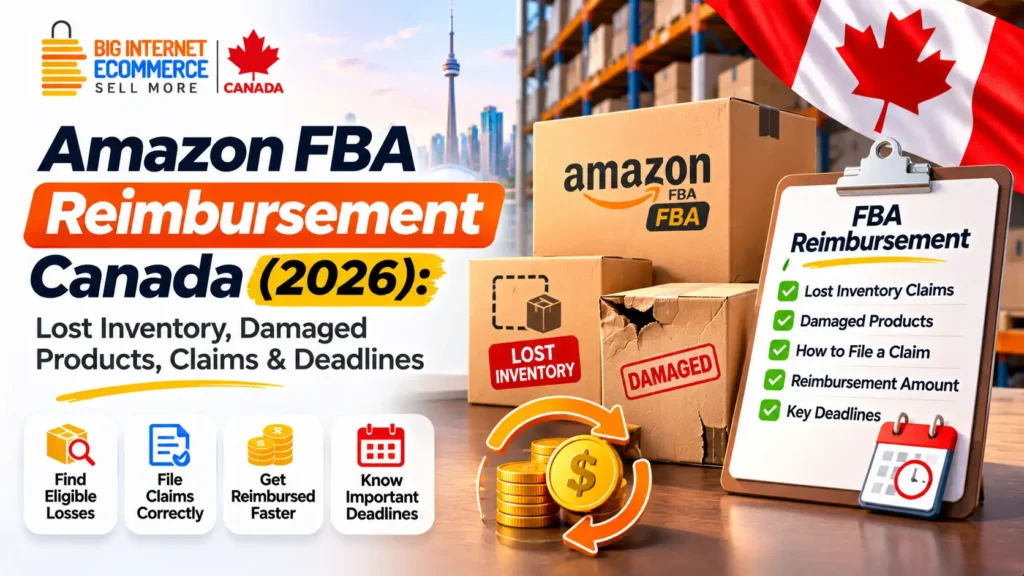
Quick answer: Amazon FBA reimbursement Canada allows eligible sellers to receive compensation when inventory is lost, damaged or affected by certain qualifying fulfilment and return-related problems under Amazon’s policies. Many eligible fulfilment-centre losses are reimbursed automatically, but sellers should monitor the Inventory Defect and Reimbursement (IDR) portal, review inventory and payment reports, and submit valid manual claims within the applicable deadlines. Under the sourcing-cost policy effective March 31, 2025, certain pre-order lost or damaged inventory reimbursements are based on sourcing cost rather than the product’s retail selling price. Customer-return and removal claims follow separate rules.
FBA reimbursements Amazon may owe you money.
Check My FBA Reimbursements →Imagine sending hundreds of products to an Amazon fulfilment centre in Canada.
Your shipping records show that the stock was dispatched. Your inventory software records the expected quantity. But a few weeks later, the numbers in Amazon Seller Central don’t match.
Some units appear to be missing.
Another product has been damaged inside Amazon’s fulfilment network. Meanwhile, a customer received a refund, but the related return hasn’t been accounted for as expected.
For Amazon sellers, these problems aren’t simply inconvenient.
Every missing or damaged unit can affect inventory accuracy, replenishment planning, cash flow and profitability.
A seller may continue paying for storage, advertising or incoming stock while trying to understand what happened to existing inventory.
That’s why understanding Amazon FBA reimbursement claims is an important part of managing an Amazon.ca business.
At Big Internet Ecommerce (BIE), we help eligible Canadian brands manage Seller Central operations, catalogue issues, FBA and inventory coordination, and related marketplace priorities.
Our Canadian business is based in Maple Ridge, British Columbia, and supports brands remotely across Canada.
In this guide, we’ll explain the types of FBA reimbursement issues sellers encounter, how Amazon’s claims process works, the current claim windows, how to review the relevant reports and what to do when a reimbursement is missing or appears incorrect.
We’ll also examine how these issues affect profit margins, account operations and the wider Amazon business.
Request an Amazon Account & FBA Audit
What Is Amazon FBA Reimbursement?
Amazon FBA reimbursement is compensation provided by Amazon when an eligible inventory-related loss or other qualifying event falls within its Fulfilment by Amazon reimbursement policies.
FBA stands for Fulfilment by Amazon.
Under this programme, eligible sellers send inventory to Amazon’s fulfilment network, where Amazon handles storage, picking, packing, shipping and relevant customer-service and return activities.
The seller remains responsible for several aspects of the business, including inventory purchasing, accurate product information, product compliance and profitability.
When inventory is handled across multiple fulfilment centres, shipments and customer orders, discrepancies can occur.
Depending on the circumstances, Amazon may identify and reimburse certain losses automatically.
Other issues require a seller to review the relevant records and submit a manual claim.
What Does an Amazon Reimbursement Cover?
The answer depends on the claim category.
Potentially eligible events can involve:
- Inventory lost in an Amazon fulfilment centre.
- Inventory damaged during qualifying fulfilment-centre operations.
- Certain customer-return discrepancies.
- Missing units in an inbound shipment, subject to the applicable policy.
- Some eligible removal-order losses or damage.
- Other qualifying FBA inventory or fee-related issues.
Not every missing product or damaged return qualifies for compensation.
Amazon reviews the specific circumstances, documentation, timing and policy conditions.
Is Every Missing FBA Unit Reimbursable?
No.
A discrepancy in an inventory report does not automatically establish that Amazon is responsible for the loss.
Some units may still be moving between fulfilment centres.
Others may be under investigation, reserved, reconciled or associated with pending transactions.
A useful reimbursement process begins by identifying the actual event rather than assuming every inventory difference is a valid claim.
Why Should Canadian Sellers Monitor Reimbursements?
Inventory represents money already invested by the business.
If an eligible loss is not investigated, the financial effect may be overlooked.
However, monitoring should also prevent duplicate claims and incorrect requests.
A reliable process should connect inventory records, reimbursement reports and financial accounting.
For a wider overview of marketplace operations, read How to Sell on Amazon Canada in 2026.
How Amazon FBA Reimbursements Work in Canada
Amazon provides policies and Seller Central tools for reviewing inventory-related reimbursement events.
The basic process can involve identifying an inventory defect, evaluating whether the event qualifies, calculating compensation and recording the result.
Some reimbursements happen automatically.
Others require sellers to submit information.
Automatic FBA Reimbursements
Amazon announced automatic reimbursements for eligible items identified as lost in its fulfilment centres beginning November 1, 2024.
The aim was to reduce the need for sellers to manually investigate every warehouse loss.
Amazon also describes proactive reimbursement handling for many warehouse loss, damage and customer-return cases.
However, automation doesn’t mean every claim will be accepted automatically.
Manual FBA Reimbursement Claims
A manual claim may still be necessary when an eligible issue hasn’t been resolved or the relevant process specifically requires seller action.
Examples can include certain removal claims, missing reimbursement events or inbound shipment discrepancies.
Before filing, sellers should review the relevant Inventory Defect and Reimbursement portal and policy.
Reimbursement Decision
Amazon may determine that a claim qualifies, requires additional information or is ineligible.
Where reimbursement is approved, the outcome depends on the applicable policy.
A valid result may involve a monetary credit or, in certain cases, replacement inventory treatment.
Why Monitoring Still Matters
Even with automatic processing, sellers should verify that inventory and financial records remain consistent.
An automated decision can also require further review if the seller believes the recorded information is incorrect.
A careful account-management process should identify unresolved events while avoiding unsupported reimbursement demands.
Types of Amazon FBA Reimbursement Claims
The term Amazon FBA reimbursement claim covers several different situations.
Understanding the type of event is essential because evidence requirements and filing windows vary.
| Claim category | Typical issue | Initial investigation |
|---|---|---|
| Fulfilment-centre lost inventory | Amazon records units as lost within its network | IDR portal and Inventory Ledger |
| Fulfilment-centre damaged inventory | Qualifying damage occurs during Amazon operations | Damage reason and inventory adjustment |
| Customer return | Refunded or replaced order has an eligible return discrepancy | Customer Returns and IDR records |
| Shipment to Amazon | Units shipped do not match Amazon’s received quantities | Shipment reconciliation and supporting documents |
| Removal shipment lost in transit | Returned inventory does not arrive as expected | Removal order and shipment records |
| Other removal claim | Eligible removal discrepancy or damage | Delivery records and removal details |
| Fee-related reimbursement | Potentially inaccurate eligible FBA fee calculation | Fee reports and applicable reimbursement policy |
These categories should not be combined into one generic reimbursement request.
The correct policy matters.
FBA Warehouse Lost Inventory
This involves inventory that Amazon identifies as lost during its fulfilment operations.
Such events may qualify for automatic reimbursement under the applicable conditions.
FBA Warehouse Damaged Inventory
A unit may be damaged while under Amazon’s control.
Whether it qualifies depends on the recorded damage category and Amazon’s policies.
FBA Customer Return Claims
A customer-return issue involves a refund or replacement and an associated discrepancy.
These claims follow their own eligibility and timing rules.
FBA Inbound Shipment Claims
Inbound discrepancies require comparing what the seller shipped with what Amazon ultimately received and reconciled.
A carrier delivery scan alone may not establish that every unit was received.
Amazon Removal Order Claims
These relate to inventory being returned or removed from Amazon’s fulfilment network.
The correct claim window depends on the type of removal issue.
Amazon FBA Reimbursement Policy Changes Sellers Should Know in 2026
Amazon has introduced significant changes to its FBA reimbursement process in recent years.
Sellers reading older online guides may encounter instructions that are no longer appropriate.
1. Greater Automatic Reimbursement Coverage
Amazon began proactively reimbursing eligible fulfilment-centre lost inventory from November 2024.
This reduced the need for some manual claims.
Nevertheless, certain claim types still require seller action.
2. Shorter Manual Claim Windows
Amazon changed several manual reimbursement claim windows beginning in October 2024.
For example, eligible fulfilment-centre operations claims were subject to a 60-day window from the reported loss or damage.
Customer return and removal claims have different rules.
3. Sourcing-Cost Reimbursements
An updated reimbursement valuation policy took effect on March 31, 2025.
For eligible inventory lost or damaged before a customer order, Amazon moved to a sourcing-cost basis.
This means a seller should not assume the reimbursement will equal the retail selling price.
4. Inventory Defect and Reimbursement Portal
Amazon’s IDR portal combines relevant defect information from several inventory and reimbursement reports.
It helps sellers identify events, review claim eligibility and understand resolution status.
5. Different Rules for Different Events
Shipment-to-Amazon claims, fulfilment-centre losses, customer returns and removal claims are not governed by one universal deadline.
Important 2026 rule: Always confirm the current Canadian policy for the specific claim category in your authenticated Seller Central account before filing. Older articles may describe different windows or valuation methods.
Amazon FBA Reimbursement Claim Deadlines in Canada
Missing the relevant deadline can prevent a seller from submitting an otherwise potentially eligible claim.
The following table summarizes Amazon’s published Canadian policy announcements and guidance reviewed in November 2026.
| Claim type | Published claim window | Starting point |
|---|---|---|
| Fulfilment-centre loss or damage | Within 60 days | Date the loss or damage was reported |
| Customer return claim | From 45 to 105 days | Customer refund or replacement date |
| Removal lost in transit | 15 to 75 days in earlier published guidance; some 2025 updates report longer windows | Removal shipment creation date |
| Other eligible removal claim | 60 days in earlier published guidance; some 2025 updates report longer windows | Date the shipment was delivered back |
| Shipment to Amazon discrepancy | Separate inbound-shipment rules | Verify the current shipment-specific policy |
Why Customer Return Claims Have a Waiting Period
Amazon allows time for the customer-return process to take place.
That is why the published return-claim window begins after the initial waiting period rather than immediately after the refund.
Submitting too early may not be permitted.
Why Inbound Shipment Claims Are Different
An inbound shipment may remain under receiving or reconciliation review.
Amazon provides a specific process for Shipment to Amazon claims.
The eligibility period can depend on the shipment and its relevant dates.
Because the current authenticated policy controls the outcome, do not apply the fulfilment-centre 60-day rule to every inbound discrepancy.
Are Claim Deadlines Guaranteed to Remain the Same?
No.
Amazon can revise policy requirements.
The applicable claim page and current account-specific rules should be checked immediately before submission.
Recommended Monitoring Schedule
A seller managing many products should review reimbursement-related events regularly.
Weekly monitoring is a reasonable operational approach for many accounts because it creates an opportunity to identify issues before deadlines approach.
A large account may need more frequent review.
Important: Amazon has revised these windows more than once, and they have differed by marketplace (for example, customer-return claims are published as 45 to 105 days for Canada, while US guidance has used 60 to 120 days). Treat the table as a guide to the type of deadline and confirm exact days in Seller Central before filing.
Official reference: Amazon’s Reimbursement Automation and Claim Window Announcement (Seller Forums).
How to Find Lost or Damaged FBA Inventory in Seller Central
The first step in investigating a reimbursement is finding accurate inventory information.
Amazon provides several tools and reports that may help.
Step 1 — Sign In to Seller Central Canada
Open:
https://sellercentral.amazon.ca/
Make sure the correct marketplace is selected.
For brands selling on Amazon.ca and Amazon.com, review each marketplace’s inventory data separately.
Step 2 — Open the FBA Dashboard
Navigate to the FBA-related tools available in the account.
Amazon’s interface may change over time.
Step 3 — Access Inventory Defect and Reimbursement
Where available, open:
Inventory → Inventory Defect and Reimbursement
You can also access the related portal from Amazon’s reimbursement reporting area.
Step 4 — Review Defect Statuses
The portal provides visibility into relevant inventory defects and their current status.
Look for items that are eligible for a claim, currently under review or already resolved.
Step 5 — Check the Inventory Ledger
The Inventory Ledger can provide a detailed record of relevant stock movements and adjustments.
Useful identifiers include ASIN, FNSKU, SKU, date, reason and quantity.
Step 6 — Review the Reimbursements Report
Check whether Amazon has already issued a reimbursement for the affected event.
Do not file a duplicate claim for a resolved loss.
Step 7 — Compare Related Records
Review customer returns, shipment reconciliation or removal orders as appropriate.
The correct combination of records depends on the issue.
Step 8 — Document Unresolved Events
Maintain a record of:
- ASIN and FNSKU.
- Seller SKU.
- Event date.
- Defect type.
- Number of affected units.
- Relevant shipment or order ID.
- Amazon’s current status.
- Amount reimbursed, if any.
- Claim deadline.
- Person responsible for follow-up.
This makes it easier to investigate repeated discrepancies.
What Is the Inventory Defect and Reimbursement (IDR) Portal?
The Inventory Defect and Reimbursement portal is Amazon’s centralized tool for reviewing certain FBA inventory defects and related reimbursement status.
It helps sellers understand which events are being processed and which may require action.
What Does the IDR Portal Show?
Amazon describes information including:
Defect type: Whether the relevant issue involves a warehouse loss, warehouse damage or customer-return-related defect.
Creation date: When the event was recorded.
Current status: Whether the issue remains under review or has been resolved.
Eligibility: Whether an eligible claim action is available.
Resolution: Amazon’s explanation of the outcome.
What Does the Portal Not Cover?
Amazon’s published announcement distinguishes some categories that are not included within the portal’s main defect coverage.
Examples include certain inbound shipment discrepancies, removals and warehouse disposal issues.
Those matters may require separate Seller Central tools and policies.
Why Is the Portal Useful?
It reduces the need to search every inventory report independently for the most common defect categories.
However, it is still important to understand the underlying transaction.
The portal should support an investigation, not replace it.
Should Sellers Use Third-Party Reimbursement Software?
Some sellers use software or external services to analyze reimbursement opportunities.
Such tools may help with large catalogues, but sellers should review data permissions, security, fees, claim accuracy and the work actually performed.
No software or agency can guarantee reimbursement for every discrepancy.
How to File an Amazon FBA Reimbursement Claim: Step-by-Step
A successful reimbursement workflow begins with evidence and eligibility, not simply opening a support ticket.
Step 1 — Identify the Exact Claim Type
Determine whether the issue involves warehouse loss, warehouse damage, customer returns, inbound receiving or removal.
Step 2 — Check for Automatic Reimbursement
Review the IDR portal and Reimbursements report.
If the event has already been resolved, understand the recorded outcome before taking further action.
Step 3 — Confirm the Claim Window
Check the appropriate Amazon Canada reimbursement policy.
Record the relevant event date and deadline.
Step 4 — Gather Documentation
Collect the records directly connected to the discrepancy.
For example, an inbound issue may require shipment details and proof of inventory ownership.
A customer return claim may require the order and refund information.
Step 5 — Review Quantities and Financial Values
Compare the expected inventory with Amazon’s recorded quantity.
Where reimbursement valuation is relevant, confirm the appropriate sourcing-cost information.
Step 6 — Use the Correct Claim Workflow
For events available in the IDR portal, use its supported claim process.
For shipment-to-Amazon and removal issues, follow the separate relevant Seller Central workflow.
Step 7 — Explain the Discrepancy Clearly
Provide accurate identifiers and a concise description of the problem.
Avoid submitting a generic accusation without relevant evidence.
Step 8 — Submit the Claim
Follow the applicable instructions.
Retain the case or claim reference number.
Step 9 — Monitor the Decision
Review the case status and any request for additional information.
Step 10 — Reconcile the Outcome
If a reimbursement is approved, confirm that the recorded amount or inventory adjustment matches the decision.
If the claim is denied, review the stated reason before deciding whether further review is justified.
Amazon FBA Inbound Shipment Missing Units: What Should You Do?
An inbound shipment discrepancy occurs when the quantity recorded as received by Amazon differs from the quantity the seller believes was shipped.
This can happen for several reasons.
For example, a seller may create a shipment for 200 units while the final received quantity shows 196.
However, the difference is not automatically proof that Amazon lost four units.
The seller needs to examine the shipment records and Amazon’s reconciliation process.
Step 1 — Check Shipment Status
Review whether the shipment is in transit, delivered, receiving, closed or otherwise eligible for investigation.
Do not assume that the carrier’s delivery notification means Amazon has finished counting every unit.
Step 2 — Compare Shipped and Received Quantities
Review the original shipment plan and the final received information.
Identify the affected SKUs and FNSKUs.
Step 3 — Check Shipment Preparation Records
Confirm whether the products were packed and labelled correctly.
For example, an incorrect carton label or product identifier can complicate receiving.
Step 4 — Gather Proof of Inventory Ownership
Amazon may request documents showing that the seller legitimately owned or purchased the inventory.
Relevant documents can include appropriate supplier invoices or manufacturer records.
Step 5 — Gather Delivery Documentation
Depending on the shipment method, supporting evidence may include carrier records, proof of delivery, carton counts and shipment weights.
Remember that a delivery confirmation alone may not prove the exact individual units Amazon received.
Step 6 — Open the Appropriate Reconciliation Workflow
Use the current shipment-to-Amazon claim process after the shipment becomes eligible for investigation.
Step 7 — Track the Outcome
Record the discrepancy, response and resolution.
For repeated issues, review packaging, labelling, carrier processes and shipment preparation.
Important: Inbound claim timing is governed by its own current policy. Confirm the applicable dates inside Seller Central rather than using a generic 60-day rule.
Amazon FBA Damaged Inventory Claims: Who Is Responsible?
Damage can occur at different stages in the fulfilment process.
The cause matters because it affects whether the loss may qualify for reimbursement.
Damage During Amazon Fulfilment Operations
An item recorded as damaged while under Amazon’s responsibility may qualify under the relevant FBA policy.
Review the inventory adjustment reason and IDR status.
Damage Before Amazon Receives Inventory
A product may arrive damaged because of inadequate packaging or transport conditions.
Eligibility depends on the circumstances and policy.
A seller should not automatically attribute every damaged unit to Amazon.
Customer-Damaged Returns
A customer may return an item that is no longer sellable.
Not every customer-damaged return qualifies for reimbursement.
The appropriate return policy and event details need to be reviewed.
Damaged Packaging
The impact of packaging damage can differ by product type and the condition recorded by Amazon.
Sellers should review the exact classification.
How to Reduce Damage-Related Problems
Use packaging appropriate to the product.
Confirm carton labelling and preparation requirements.
Retain relevant shipment documentation.
Review recurring damage reasons.
Avoid unsupported reimbursement requests.
For a broader guide to fulfilment costs, read Amazon FBA Canada Fees & Profitability Guide (2026).
Amazon FBA Customer Return Reimbursement Claims
Customer returns can affect inventory, sales and profitability.
Under FBA, Amazon manages relevant customer service and returns workflows.
However, a refunded order does not automatically mean the seller is entitled to reimbursement.
Why Might a Return Need Investigation?
A return may require review when the refund and inventory records do not reconcile as expected.
For example, the seller might see a refunded order but not see the expected return or other resolution.
The exact circumstances determine whether a claim is appropriate.
Customer Return Claim Window
Amazon’s published Canadian guidance states that relevant customer return claims can be submitted:
No sooner than 45 days and no later than 105 days after the customer refund or replacement date.
This waiting period allows time for the return to be processed.
What Information Should Be Reviewed?
Check the relevant:
- Customer order ID.
- Refund or replacement date.
- Return record.
- ASIN and FNSKU.
- Unit quantity.
- Current IDR status.
- Existing reimbursement record.
What If the Customer Returned a Different Item?
A wrong-item return requires careful documentation and the appropriate Amazon workflow.
The seller should not assume the claim will automatically be approved.
What If the Product Is Customer-Damaged?
Eligibility depends on Amazon’s rules and the circumstances.
Customer damage is not automatically treated the same as warehouse damage.
What If a Reimbursement Is Missing?
Confirm the case is eligible, within the claim window and not already resolved.
Then follow the supported claim process.
Amazon FBA Removal Order Reimbursement Claims
Amazon removal orders are used when sellers arrange for inventory to be returned, disposed of or otherwise handled through the available removal options.
A removal order can generate its own inventory and shipment records.
Lost Removal Shipments
If an eligible removal shipment is lost in transit, Amazon’s published claim window is:
15–75 days from the removal shipment creation date.
The claim generally should not be submitted before the initial waiting period has passed.
Other Removal Claims
Amazon’s published guidance provides a 60-day window after delivery back to the seller for other eligible removal claims.
The exact event and claim type must be confirmed.
What Documents Might Be Relevant?
- Removal order ID.
- Shipment information.
- Carrier tracking.
- Expected quantities.
- Received quantities.
- Delivery records.
- Photographs where appropriate.
- Relevant damage or discrepancy records.
Important Distinction
Removal order claims are different from ordinary warehouse loss claims.
They should not be evaluated using one universal claim window.
We help you review eligible lost and damaged inventory so valid claims are not left on the table.
- Review eligible inventory discrepancies
- Understand claim windows and evidence
- No Amazon password needed to enquire
How Does Amazon Calculate FBA Reimbursement Amounts in 2026?
One of the most important issues for sellers is understanding the amount Amazon may pay.
The Sourcing-Cost Policy
Amazon changed the reimbursement calculation for eligible inventory lost or damaged before a customer order.
The updated policy took effect on March 31, 2025.
The relevant reimbursement valuation is based on sourcing cost rather than automatically using the product’s selling price.
What Is Sourcing Cost?
For a reseller, sourcing cost generally relates to the cost of obtaining the product from a supplier.
For a manufacturer, it relates to the appropriate cost of manufacturing the product.
Amazon’s current policy and accepted documentation control the specific calculation.
Example: Selling Price vs Sourcing Cost
Consider a hypothetical Canadian seller.
| Item | Illustrative amount |
|---|---|
| Product retail price | CAD $39.99 |
| Product sourcing cost | CAD $12.00 |
| Units affected | 5 |
| Retail value of five units | CAD $199.95 |
| Sourcing value of five units | CAD $60.00 |
If the applicable policy reimburses accepted sourcing cost, the relevant starting point may be CAD $60.00 rather than the CAD $199.95 retail value.
This is a simplified educational illustration, not a guaranteed Amazon reimbursement calculation.
Actual valuation, eligibility, adjustments and currency depend on the relevant transaction and policy.
Does Reimbursement Include Lost Profit?
A sourcing-cost reimbursement should not be treated as compensation for the full potential retail margin.
The seller needs to distinguish inventory value from expected selling profit.
How Do Sellers Manage Sourcing Costs?
Amazon provides a Manage Your Sourcing Cost tool associated with the Inventory Defect and Reimbursement portal.
The seller should review the available estimates and provide accurate sourcing-cost information where permitted or required.
What If Amazon’s Cost Estimate Is Incorrect?
Review the valuation and applicable dispute process.
Gather legitimate supporting purchase or manufacturing records.
Ask for reconsideration through the relevant supported workflow if justified.
Do not submit inflated or fabricated costs.
Are Customer Return Reimbursements Calculated the Same Way?
Not necessarily.
Amazon describes different reimbursement methods for certain customer-return situations.
The appropriate policy depends on the claim category.
This is another reason to separate customer returns from pre-order inventory loss.
What Evidence Is Needed for Amazon FBA Reimbursement Claims?
Amazon may require different documents depending on the claim.
A strong claim should include only relevant, accurate information.
Inventory Ownership Documentation
This may include appropriate supplier invoices or manufacturer records.
The documentation should identify the products and legitimate source.
Inbound Shipment Information
Useful records can include shipment plans, shipping labels, carton information and expected quantities.
Proof of Delivery
Carrier records can help establish that a shipment was delivered to the relevant destination.
However, proof of delivery may not independently establish the contents or quantities received.
Inventory Adjustment Information
Inventory Ledger records can help identify the affected event.
Reimbursement Report Details
If Amazon has already issued a payment or adjustment, record it.
Return and Refund Records
For customer-return claims, relevant order and refund details are important.
Removal Order Information
For removal claims, collect the removal order and related shipment records.
Photographs
Where relevant, authentic photographs can support a damaged-inventory investigation.
Do not edit images to exaggerate damage.
Sourcing-Cost Evidence
Approved invoices or manufacturing records may support a valuation review.
Claim Tracking
Record the claim reference, submission date and response.
Do not share sensitive invoices or financial records through BIE’s public lead form. If deeper account work is agreed, use an appropriate secure process.
What If Amazon Rejects an FBA Reimbursement Claim?
Not every claim qualifies.
An Amazon reimbursement request may be rejected for several reasons.
Claim Submitted Outside the Eligible Window
The claim may be too early or too late.
Existing Reimbursement Already Issued
The event may already have been resolved.
Insufficient Evidence
Amazon may require additional information about the shipment, product or event.
Claim Category Is Incorrect
A customer-return issue submitted through a warehouse-loss workflow may not be evaluated correctly.
Inventory Was Not Eligible
The relevant policy may exclude the circumstance.
Reconciliation Does Not Establish a Loss
The difference between expected and recorded quantities may be explained by another inventory event.
Sourcing-Cost Disagreement
The amount requested may differ from Amazon’s accepted valuation.
What Should the Seller Do Next?
Review the denial reason carefully.
Compare it with the original claim and documentation.
Correct any factual errors.
If the decision appears inconsistent with the applicable policy, use the authorized reconsideration process within its deadline.
Avoid repeated identical cases with no new evidence.
An agency can help organize the review, but Amazon controls the final decision.
Amazon FBA Reimbursement vs Vendor Central Chargebacks
This distinction is especially important for manufacturers and larger marketplace brands.
FBA reimbursement claims generally relate to eligible third-party seller inventory or fulfilment-related events.
Vendor Central chargebacks and shortage claims relate to the first-party wholesale operating model.
These should not be treated as the same service.
| Area | FBA reimbursement | Vendor Central deductions |
|---|---|---|
| Typical account | Seller Central / third-party seller | Vendor Central / first-party vendor |
| Main issue | Eligible FBA inventory or related loss | Wholesale PO, receiving, compliance or invoice issues |
| Common records | FNSKU, shipment, Inventory Ledger, returns | PO, ASN, invoice, shipment and receiving records |
| Claim process | Relevant FBA reimbursement policy | Applicable Vendor Central dispute process |
| Final decision | Amazon | Amazon |
For eligible first-party brands, BIE also provides Amazon Vendor Central Management Services Canada.
The service scope and evidence requirements need to be defined separately.
How FBA Reimbursements Affect Amazon Profitability
Inventory losses should be understood within the wider economics of selling on Amazon.
A seller may be profitable on a product under normal conditions but face cash-flow pressure from missing stock, returns or operational discrepancies.
Cost of Goods Sold
Inventory has already been purchased or manufactured.
A missing unit represents an investment that may no longer be available for sale.
Fulfilment Fees
The seller should understand the appropriate fulfilment costs for each product.
Storage Costs
Inventory kept in Amazon’s network may incur storage charges.
Advertising Spend
Paid advertising can generate traffic, but product availability matters.
If stock cannot be purchased, campaigns may need to be reviewed.
Customer Returns
Refunds and damaged returns influence the economic result of selling a product.
Reimbursement Income
Approved reimbursements should be reconciled correctly.
They should not simply be counted as new product sales.
Profitability Example
Consider a hypothetical seller whose product has:
- Retail price: CAD $45.
- Product cost: CAD $14.
- Fulfilment cost: CAD $7.
- Referral fee: CAD $6.
- Allocated advertising cost: CAD $5.
- Other variable costs: CAD $3.
The illustrative contribution before fixed overheads and taxes would be CAD $10 per sale.
Now imagine that several units are lost in the fulfilment process.
The seller may receive an eligible reimbursement calculated according to the relevant policy, but that does not automatically replace the future contribution those units might have generated.
This distinction matters when evaluating inventory recovery and profitability.
For more information, read Amazon FBA Canada Fees & Profitability Guide.
10 Common Amazon FBA Reimbursement Mistakes
1. Assuming Every Missing Unit Is Reimbursable
Inventory discrepancies need investigation.
Not every difference represents an eligible Amazon loss.
2. Missing the Claim Deadline
Different claim types have different eligibility windows.
3. Filing Before the Waiting Period Ends
Customer-return and certain removal claims cannot always be submitted immediately.
4. Ignoring Automatic Reimbursements
Sellers should check whether Amazon has already resolved an issue.
5. Using Retail Price as the Default Valuation
The sourcing-cost policy applies to relevant pre-order lost or damaged inventory claims.
6. Submitting Weak Inbound Shipment Evidence
A delivery scan alone may not establish every quantity shipped.
7. Mixing Claim Categories
Warehouse, inbound, return and removal problems use different workflows.
8. Failing to Review Sourcing Costs
An inaccurate sourcing-cost record can complicate a valuation review.
9. Filing Duplicate Claims
Repeated unsupported cases can create unnecessary work and confusion.
10. Not Reconciling Approved Reimbursements
A claim should not be considered complete until the outcome is properly recorded.
Amazon FBA Reimbursement Services Across Canada
Amazon FBA sellers operate across Canadian cities and provinces, but Amazon’s inventory-reimbursement policies depend on the relevant marketplace, programme and event.
The location of a seller’s office does not by itself determine whether a reimbursement qualifies.
However, businesses in different regions may have different fulfilment arrangements, inventory sources and operational needs.
Amazon FBA Reimbursement Vancouver and British Columbia
Businesses in Vancouver, Surrey, Burnaby, Richmond, Coquitlam, Langley and Maple Ridge may use FBA to serve customers across Canada.
Their inventory records should be coordinated with shipping and replenishment information.
BIE is based in Maple Ridge, British Columbia, and supports eligible brands across Metro Vancouver and BC remotely.
Amazon FBA Reimbursement Toronto and Ontario
Sellers in Toronto, Mississauga, Brampton, Markham, Vaughan, Hamilton and Ottawa may manage sizeable product catalogues and recurring FBA shipments.
Regular reconciliation can help identify inventory discrepancies before relevant claim windows expire.
Amazon FBA Reimbursement Montreal and Quebec
Businesses in Montreal, Laval and Quebec City should maintain accurate Amazon.ca inventory and financial records.
French-language business or product requirements are a separate compliance matter and do not replace the reimbursement policy.
Amazon FBA Reimbursement Calgary and Edmonton
Alberta-based manufacturers, DTC brands and ecommerce sellers may use Amazon’s fulfilment network for national distribution.
Their reimbursement workflow should reflect the same relevant Amazon.ca rules.
Amazon FBA Reimbursement in Other Provinces
Businesses across Manitoba, Saskatchewan, Nova Scotia, New Brunswick, Newfoundland and Labrador, Prince Edward Island and other Canadian regions may also need FBA inventory monitoring.
BIE provides remote marketplace support across Canada.
BIE does not claim physical offices in all these cities. Its Canadian operating location is in Maple Ridge, British Columbia.
For details about its actual services, visit Big Internet Ecommerce Canada.
Want an expert to apply this to your account? Request a review and get clear next steps.
Check My FBA Reimbursements →How Big Internet Ecommerce Supports Amazon FBA and Account Operations
Managing FBA reimbursements isn’t always about filing a claim.
For many sellers, the greater challenge is maintaining accurate records and making sure the account’s operational problems are reviewed consistently.
At Big Internet Ecommerce, we provide Amazon marketplace services that connect account management, catalogue operations, inventory coordination, advertising and reporting.
Amazon Seller Central Management
Our account-management services can help coordinate relevant Seller Central tasks, inventory issues, account-health matters, catalogue problems and recurring operational priorities.
Explore Amazon Account Management Services Canada.
FBA Inventory Coordination
Where included in the engagement, BIE can help review inventory-related concerns and coordinate relevant operational follow-up.
This does not mean BIE physically operates Amazon’s warehouses or controls reimbursement decisions.
Inventory and Product Content
Product identifier and catalogue accuracy are important for effective operations.
BIE also provides Amazon Listing Optimization Services Canada.
Advertising and Inventory Alignment
An advertising campaign should consider whether the promoted product is available.
BIE’s Amazon PPC Management Services Canada can be coordinated with relevant account information.
Marketplace SEO
When inventory is available and offers are healthy, product search relevance becomes another important part of marketplace performance.
Explore Amazon SEO Services Canada.
Brand Content and Creative
Eligible brands can also review product images and enhanced content.
Explore Amazon A+ Content Services.
What About Reimbursement Recovery?
BIE’s publicly described services include FBA and inventory coordination as part of Seller Central account management.
A specific reimbursement investigation or claim-support engagement should be discussed and confirmed within the agreed scope.
We do not claim a verified total amount recovered, a guaranteed reimbursement rate or control over Amazon’s decisions.
Real Client Work
BIE publishes actual Amazon advertising and creative projects, including Hodgins Harvest, Good Morning Snore Solution and Dreamscape Kids.
These demonstrate documented marketplace work.
They are not presented as evidence of FBA reimbursement recovery unless a genuine project specifically supports that claim.
Explore BIE’s Amazon Case Studies.
Request an Amazon Account & FBA Audit
Weekly Amazon FBA Reimbursement Audit Checklist
Use the following as a recurring internal review.
| Review item | What to check | Next action |
|---|---|---|
| IDR portal | Eligible and unresolved inventory defects | Review the relevant events |
| Warehouse losses | Lost units and reimbursements | Confirm automatic resolution or claim eligibility |
| Warehouse damage | Damage classifications | Check responsibility and status |
| Customer returns | Refund and return records | Review relevant claim windows |
| Inbound shipments | Shipped versus received units | Reconcile eligible discrepancies |
| Removal orders | Returned or missing removal inventory | Check shipment and claim records |
| Reimbursements report | Payments and adjustments | Match to underlying events |
| Inventory Ledger | Relevant inventory movements | Investigate unexplained differences |
| Sourcing costs | Current accurate product costs | Correct where permitted and supported |
| Seller Support | Open cases and requests | Track responses and evidence |
| Financial records | Approved reimbursement amounts | Reconcile with accounting |
| Deadlines | Upcoming claim eligibility dates | Prioritize valid claims approaching deadlines |
For larger accounts, use a shared tracker with the responsible owner, relevant dates and supporting records.
Frequently Asked Questions About Amazon FBA Reimbursement Canada
1. What is Amazon FBA reimbursement?
Amazon FBA reimbursement is compensation for an eligible inventory-related or other qualifying event under Amazon’s FBA reimbursement policies.
It may involve lost inventory, damaged stock, customer-return issues or other covered circumstances.
2. Does Amazon automatically reimburse lost inventory?
Amazon proactively reimburses many eligible items identified as lost within its fulfilment centres.
However, automatic processing does not cover every issue, and manual claims may still be necessary.
3. Where do I find FBA reimbursements in Seller Central?
Use the Inventory Defect and Reimbursement portal and the relevant Reimbursements report.
The available navigation can vary with Seller Central updates.
4. What is the Inventory Defect and Reimbursement portal?
It is Amazon’s centralized tool for reviewing certain inventory defects, eligibility, current status and resolutions.
It primarily covers relevant warehouse loss, warehouse damage and customer-return defects.
5. How do I claim missing FBA inventory?
First determine where the discrepancy occurred.
Review the relevant shipment, inventory or return information and follow the corresponding Amazon reimbursement process within its claim window.
6. How long do I have to claim warehouse lost inventory?
Amazon’s published policy provides a 60-day window from the date a relevant fulfilment-centre loss or damage was reported.
Check the current Canadian policy for the specific event.
7. What is the customer return reimbursement deadline?
Amazon’s published policy permits certain FBA customer-return claims from 45 to 105 days after the customer refund or replacement date.
8. What is the removal shipment claim deadline?
For eligible removal shipments lost in transit, Amazon’s earlier published window was 15–75 days from the shipment-creation date; confirm the current window in Seller Central, as it may have been extended.
Other eligible removal claims have separate rules.
9. Is an inbound shipment reimbursement claim subject to the same 60-day rule?
No. Shipment-to-Amazon discrepancies are subject to their own policy and eligibility process.
Check the current inbound claim requirements in Seller Central.
10. How does Amazon calculate lost inventory reimbursement?
For applicable inventory lost or damaged before a customer order, Amazon uses a sourcing-cost-based valuation under its policy effective March 31, 2025.
Actual amounts depend on eligibility and accepted cost information.
11. Does Amazon reimburse the full selling price?
Not automatically.
Applicable pre-order inventory reimbursements use sourcing cost rather than simply the retail selling price.
Other claim types may have different valuation rules.
12. What is sourcing cost?
Sourcing cost generally refers to the relevant cost of purchasing or manufacturing the product.
Amazon’s policy determines which values and documentation are accepted.
13. Can I dispute an incorrect sourcing-cost value?
Sellers can review the relevant valuation and use Amazon’s available reconsideration or support process where appropriate.
Supporting documents should be genuine and accurate.
14. What if Amazon rejects my reimbursement claim?
Review the specific reason for rejection.
Confirm the claim category, deadline and evidence.
If justified, use the authorized review process with relevant new information.
15. Can I claim FBA inventory damaged by a customer?
Customer-damaged items do not automatically qualify.
Eligibility depends on the specific policy and circumstances.
16. What if Amazon received fewer units than I shipped?
Review the inbound shipment reconciliation process, expected quantities, inventory ownership records and delivery documentation.
A carrier delivery scan alone may not establish every received unit.
17. Can a seller file duplicate reimbursement claims?
Sellers should avoid duplicate claims for the same resolved event.
Review existing reimbursement records and case status before submitting.
18. Are FBA reimbursements taxable in Canada?
The appropriate accounting and tax treatment depends on the business and transaction.
Sellers should consult a qualified Canadian accounting or tax professional.
19. Are FBA reimbursements the same as Vendor Central deductions?
No.
FBA reimbursement claims relate to relevant Seller Central fulfilment events.
Vendor Central deductions are associated with the first-party wholesale model.
20. Can Amazon FBA reimbursements improve profitability?
Recovering eligible inventory value can help reduce the financial effect of qualifying losses.
However, it does not automatically replace expected selling profit or guarantee that the business will be profitable.
21. How often should I audit FBA reimbursements?
The appropriate frequency depends on inventory volume and operational risk.
A weekly review can be a useful starting point, with more frequent monitoring for large catalogues.
22. Can an Amazon account management agency help with FBA claims?
An agency may help investigate inventory discrepancies, organize records and coordinate permitted claim workflows where those services are included in its agreement.
Amazon controls final eligibility and reimbursement decisions.
23. Does BIE offer Amazon FBA support in Canada?
BIE provides Seller Central account management and FBA/inventory coordination for eligible Canadian businesses.
Specific reimbursement claim work must be confirmed within the agreed scope.
24. Can BIE support Toronto, Vancouver and Montreal sellers?
Yes. BIE works remotely with eligible brands across Canada from its Maple Ridge, British Columbia base.
25. How can I request an Amazon FBA and account review?
Visit BIE’s Amazon Growth Audit and describe your marketplace, account type and main operational issues.
Do not share account passwords or confidential financial records through the public form.
Conclusion: Review Eligible FBA Reimbursements Before Deadlines Pass
Inventory management doesn’t end when products arrive at an Amazon fulfilment centre.
Sellers still need to understand stock movements, returns, damaged units, reimbursement records and the financial impact of unresolved discrepancies.
Amazon’s automatic reimbursement systems can reduce manual work for many eligible losses.
But automation does not eliminate the need to monitor the account.
A useful Amazon FBA reimbursement strategy in Canada starts with accurate inventory records.
Identify the event, determine the relevant policy, check whether Amazon has already resolved it and submit a valid claim only when the facts support it.
For Canadian brands with many products or recurring operational issues, a consistent review process can make the account easier to manage.
At Big Internet Ecommerce, we help eligible Amazon sellers coordinate account management, catalogue, inventory-related priorities and connected marketplace work.
If you want a clearer understanding of your Amazon.ca or Amazon.com account, our team can help discuss the appropriate audit scope and next steps.
Request Your Amazon Account & FBA Audit
Amazon’s eligibility rules, reimbursement values and filing windows are subject to its current policies. BIE does not guarantee reimbursement, account outcomes, rankings or sales results.
About Big Internet Ecommerce
Big Internet Ecommerce (BIE) is an Amazon growth agency based in Maple Ridge, British Columbia, Canada.
BIE supports eligible brands with Amazon account management, PPC advertising, SEO, listing optimization, A+ Content and Vendor Central-related marketplace services.
Its Canadian operations support businesses across Canada remotely, including brands in British Columbia, Ontario, Alberta, Quebec and other provinces.
Website: https://biginternetcommerce.ca/
Email: amz@biginternetcommerce.com
Phone: +1 (425) 600-9184
We help you review eligible lost and damaged inventory so valid claims are not left on the table.
- Review eligible inventory discrepancies
- Understand claim windows and evidence
- No Amazon password needed to enquire
Prefer email? amz@biginternetcommerce.com